
Integrate Biovista Vizit in your site with a simple shortcode.
Contributors: vasvir
Tags: biovista vizit, pubmed, data integration
Requires at least: 5.2
Tested up to: 6.8.2
Stable tag: trunk (master)
License: GPLv3
Requires PHP: 5.6
This plugin enable Wordpress Users with a valid Biovista Vizit Licence for their site to integrate it in their desired posts and pages with a simple shortcode.
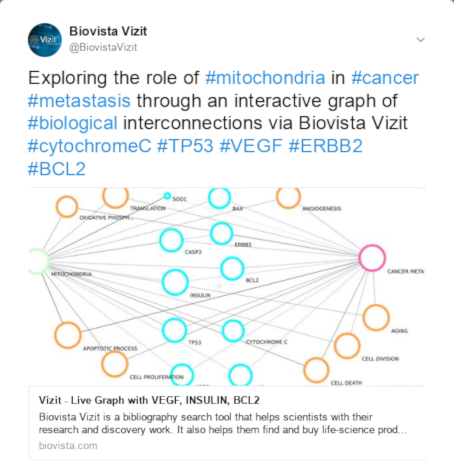
Plugin also handles the 'Google Indexing' support required for social networks in order to provide a nice preview of Vizit graph urls.
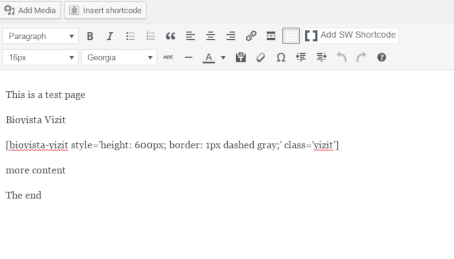
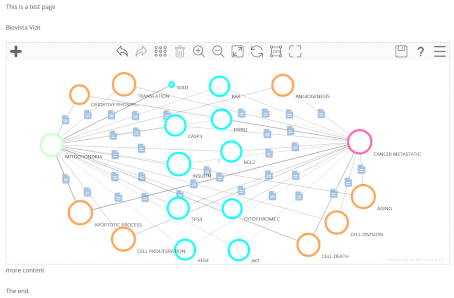
Use the shortcode '[biovista-vizit]' in the post you want to embed Biovista Vizit. Shortcode represents a div that can be styled through style and class attributes in the shortcode itself. Biovista Vizit div needs a height specification. By default Biovista Vizit will use all the available width of the parent container and it will auto sense browser resize events.
The shortcode can preload a graph by using the bv_gid attribute. If shortcode has content then this is used to hide Vizit behind it. In that case a button with an id needs to also be specified in order to be possile to reveal the Vizit.
The availablle options are:
Examples:
Don't hide Vizit - no graph preloading
[biovista-vizit style='height: 600px; border: 1px solid gray;']Hide Vizit - preload a graph
[biovista-vizit style='height: 600px; border: 1px solid gray;' bv_gid='7e9dff9e1d36f2e79fbca0e54e777b09' showVizit='#showVizitButton']<div>Add more text. Center the button. Style everything</div><button id='showVizitButton'>Explore Pubmed</button>[/biovista-vizit]to make it look like Biovista Vizit's page here is the markup
[biovista-vizit style='height: 600px; border: 1px solid gray;' bv_gid='7e9dff9e1d36f2e79fbca0e54e777b09' show_vizit='#showVizitButton']<h1>A new way to explore PubMed</h1><div class='bv-center'><h3>Is there something relevant I'm missing?</h3></div><h3 class='bv-big'><a id='showVizitButton' href='javascript:;'><span class='bv-round-button'>Start</span> connecting</a></h3>[/biovista-vizit]Biovista Vizit exposes graph image in various formats via its image API. In order to access the image of a known graph such as 7e9dff9e1d36f2e79fbca0e54e777b09 use one of the following urls:
Q: Can I use more than one Biovista Vizit in one page?
A: No you can use only one Biovista Vizit instance per page.
Upgrades should be handled automatically.
Please upgrade regularly to keep your Biovista Vizit Plugin as current as possible.